Registering a California Deer Online
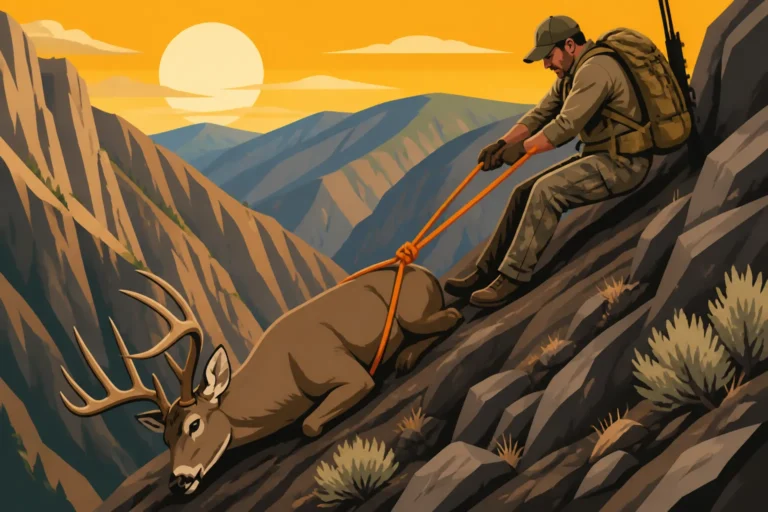
You’ve just pulled off a successful deer hunt in California, a feat that, let’s be honest, takes a heck of a lot of planning, scouting, and pure grit. The adrenaline is still coursing, you’re admiring your buck, and the hard work of field dressing is likely next. But amidst all that excitement and effort, there’s one crucial step often overlooked or misunderstood: registering your California deer online. It can feel like a bureaucratic hurdle after such a primal experience, but getting it right is vital, and this guide is here to walk you through every step, ensuring you report your harvest correctly and avoid any unnecessary headaches.
The Absolute Importance of Prompt Deer Registration
It’s easy to get caught up in the moment after a successful hunt. You’re tired, elated, and probably already thinking about the delicious venison. But don't let the administrative side slip. Registering your deer isn't just a formality; it's a legal requirement that plays a massive role in how California manages its deer herds and ensures the future of hunting in our state. Messing this up can lead to penalties and, more broadly, hurts the very resource we all cherish.
Why Your Deer Tag Isn't Just Paper
Think of your deer tag as a contract between you and the State of California. When you buy a hunting license and a deer tag, you're agreeing to abide by the rules, and one of the most fundamental rules is reporting your harvest. That little piece of paper, often tied to an antler or tucked into a ziplock bag, is proof of your legal right to harvest that specific animal. It’s got a unique identification number, and once validated, it’s meant to be reported. If you've spent any time researching the California Deer Reporting Requirements, you know the stakes are real. This isn't just about tagging the animal in the field; it's about officially notifying the California Department of Fish and Wildlife (CDFW) that the tag has been used. Without proper registration, that tag is, in the eyes of the law, still "open," creating a potential regulatory nightmare for you.
For example, imagine you harvest a buck in Zone A. You properly tag it in the field, maybe even take it to a local butcher, but you forget to register it online. A few months later, if for some reason your records are audited or you apply for another tag, the system might show that your Zone A tag from the previous season was never reported. This oversight, though seemingly small, could lead to questions, investigations, or even fines, all because of an uncompleted step after the hunt. It's a headache no hunter wants, especially when the solution is straightforward.
The Legal Ramifications of Delay or Omission
California has clear guidelines for when and how you need to report your deer harvest. The deadline for reporting is typically January 31st for deer tags from the previous season, even if you didn't harvest an animal. However, for a successful harvest, you're usually required to report within 30 days of taking your deer, or by January 31st, whichever comes first. This is crucial. Missing this deadline isn't just a minor administrative error; it can be considered a violation.
Consider the consequences: you could face fines, potential loss of hunting privileges, or even issues with future tag applications. The CDFW takes these reporting requirements seriously because they rely on this data for sound wildlife management. If enough hunters fail to report, the data becomes incomplete, making it harder for biologists to accurately assess herd health, population sizes, and future tag allocations. It’s a collective responsibility, and each individual hunter plays a part. So, while it's tempting to put it off, knowing The California Deer Reporting Deadline is critical for staying on the right side of the law and contributing positively to conservation efforts.
How Registration Connects to Wildlife Management
Every reported deer harvest provides a valuable data point for the CDFW. This information helps wildlife biologists understand a multitude of factors, from localized deer densities to herd health, success rates in specific zones, and even the impacts of environmental changes like droughts or wildfires. When you register your deer online, you're usually asked for specific details: the date of harvest, the hunting zone (e.g., Hunting California's Zone A Season or a specific D-zone), the sex of the animal, whether it was antlered or antlerless, and even antler points. This granular data, collected from thousands of hunters, paints a comprehensive picture of the state's deer populations.
For instance, if harvest reports show a consistent decline in antlered bucks in a particular D-zone, the CDFW might consider reducing tag quotas for that zone in subsequent seasons or implementing antler point restrictions. Conversely, if reports indicate a healthy and growing population, they might maintain or even increase tag availability. Without accurate data from hunters, these decisions would be based on incomplete information, potentially leading to overharvest or underutilization of the resource. Your act of registering online is a direct contribution to the sustainable future of deer hunting in California, allowing for informed decisions on issues like California's Multi-Zone Deer Season System. It's a civic duty for every responsible hunter.
A Step-by-Step Guide to Online Deer Registration in California
The idea of navigating a government website might sound daunting, but the CDFW's Automated License Data System (ALDS) portal is designed to be relatively user-friendly. The key is to be prepared and methodical. Don't rush it, especially after a long day in the field. Find a quiet moment, gather your documents, and proceed step by step.
Pre-Registration Checklist: What You Need in Hand
Before you even log into the ALDS portal, gather all the necessary information. This will make the process much smoother and reduce the chances of errors. You'll need:
- Your Hunting License Number and GO ID: Your GO ID is a unique identifier assigned to you by the CDFW. It's usually printed on your hunting license, along with your license number. If you use a planning tool like GoHunt, you might even have this information saved in your hunter profile for quick access, alongside scouting notes for areas like Hunting Coastal Range Oak Woodlands.
- Your Deer Tag: The physical tag itself is crucial. You’ll need to reference the unique serial number printed on it.
- Harvest Details:
- Date of Kill: The exact day you harvested the deer.
- Hunting Zone/Unit: The specific zone or unit where you harvested the deer (e.g., D5, X9A, A Zone).
- Sex of Deer: Buck or Doe.
- Antler Points (if applicable): For antlered deer, you'll need to count the points on one side, or total points, depending on the reporting system's specific prompt.
- Weapon Used: Rifle, archery, muzzleloader, etc. (relevant for understanding harvest methods like Rifle Hunting California's General Deer Season versus specific archery seasons).
- County of Kill: The specific California county where the harvest occurred.
- Method of Take: This typically refers to archery, rifle, shotgun, muzzleloader, etc.
Having all this information readily available will prevent you from having to stop, search for details, and potentially time out of the system.
Navigating the CDFW ALDS Portal
The first step is to visit the official CDFW Automated License Data System (ALDS) website. You'll typically find a link for "License & Harvest Reporting" or similar.
- Log In: You’ll need to log in using your GO ID and either your last name or date of birth, depending on the portal's current setup. If you haven't logged in before or forgot your password, follow the prompts for new users or password recovery. It’s usually a pretty straightforward process.
- Access Harvest Reporting: Once logged in, look for a section specifically labeled "Harvest Reporting" or "Report My Deer Tag." The navigation might change slightly from year to year, but it's usually prominent.
- Select the Correct Tag: The system will display all your valid tags for the current or previous season. Select the specific deer tag you used (e.g., "Zone D12 Deer Tag"). Ensure you're selecting the correct tag to avoid confusion or misreporting. If you applied for multiple tags, like a general tag and a premium X-zone tag, double-check that you're inputting details for the right one.
- Input Harvest Data: This is where your pre-registration checklist comes in handy. You’ll be guided through a series of fields to enter all the details we discussed earlier: date, zone, sex, antler points, weapon, and county. Be meticulous. Make sure the date is accurate and that the zone matches what's on your tag and where you actually harvested the animal.
Entering Your Harvest Information Accurately
Accuracy is paramount when filling out the harvest report. Even a small mistake, like an incorrect date or zone, can skew the data and create problems.
- Double-Check Everything: After inputting all the information, the system will usually provide a summary screen for review. This is your chance to catch any errors before submitting. Take a deep breath and review every single detail. Does the date match the calendar? Is the zone correct? Did you accurately count the antler points? For many, the joy of the hunt can make them a bit less detail-oriented, but this is the time to be precise.
- Antler Points: For antlered deer, you’ll typically report the number of points on one side, or the total number of points, depending on the exact wording of the form. A "point" is generally defined as a projection at least one inch long. Be sure to understand Judging a Blacktail's Fork Versus a Forked Horn if you're hunting in blacktail country to ensure accurate reporting.
- No Deer Harvested? You Still Report! Even if you had an unsuccessful season and didn’t harvest a deer, you still need to report your tag. This is called a "no harvest" report. It’s equally important for data collection, as it helps the CDFW understand hunter effort and success rates without relying solely on successful hunts. On the ALDS portal, there will be an option to indicate "No Harvest" for the tag. Don't skip this step!
Remember, this isn't just a hurdle; it’s part of the ethical hunter’s responsibility. Think of it as the final chapter in your hunting story for that season, closing the loop with the state and contributing to future seasons.
Common Pitfalls and Troubleshooting Tips
Even with the best intentions, technology can be finicky, or life can simply get in the way. It’s good to anticipate some common issues that hunters face when trying to register their deer online and know how to deal with them.
Dealing with Technical Glitches and Login Issues
We've all been there: a website crashes, your internet connection flakes out, or you simply can't remember your password.
- Forgotten Passwords/GO ID: If you can't log in, use the "Forgot Password" or "Forgot GO ID" links on the ALDS login page. They usually involve sending a link to your registered email or asking security questions. Make sure your email address on file with CDFW is current.
- Website Maintenance/Outages: Occasionally, the CDFW portal might undergo maintenance or experience unexpected outages. If you encounter an error message or the site is unresponsive, don't panic. Check the CDFW's social media channels or main website for announcements about system status. Try again in a few hours or the next day. This is where giving yourself ample time before The California Deer Reporting Deadline really pays off.
- Browser Issues: Sometimes, an older browser, excessive cache, or certain browser extensions can interfere with website functionality. Try using a different browser (Chrome, Firefox, Edge, Safari), or clear your browser's cache and cookies.
- Reporting Via the App: If the desktop site is giving you trouble, remember you can also try Reporting a Deer Through California's App. The CDFW offers a mobile app that allows you to manage licenses and report harvests on the go, which can sometimes be more stable or convenient if you're already out and about.
Avoiding Common Entry Errors
Beyond technical issues, simple human error is a frequent culprit.
- Mixing Up Tags: If you hold multiple deer tags (e.g., an A-Zone general season tag and an additional depredation tag), ensure you are entering the harvest information against the correct tag. The system will clearly display the tag number and type. Verify it matches the physical tag you punched.
- Incorrect Dates or Zones: This is probably the most common mistake. People sometimes confuse the harvest date with the date they’re reporting the harvest, or they misremember which zone they were in. Cross-reference your hunting log or even photos from the day of the hunt to confirm these details. Tools like GoHunt often allow you to log your hunt details, including date and location, right after the event, making this retrieval much easier.
- Antler Point Miscounts: For antlered bucks, miscounting points can happen, especially if you're excited or tired. Take a clear photo of the antlers for later review if you're unsure, or have a hunting partner double-check before you submit the report. The regulations are usually clear: a point must be at least one inch long and project from the main beam.
What to Do If You Miss the Deadline
Missing the deadline is not ideal, but it’s not the end of the world if you act quickly and honestly.
- Late Reporting: If you realize you've missed the official reporting deadline (January 31st), it's still better to report late than not at all. The ALDS portal may still allow you to submit a late report. While there might be a penalty for late reporting (a fine), it's typically less severe than failing to report entirely.
- Contact CDFW: If the online system won't accept your late report, or you're unsure how to proceed, immediately contact the CDFW’s licensing or harvest reporting unit. Explain your situation honestly. They can often guide you on the steps to rectify the oversight. Their contact information is usually available on the main CDFW website. Don't try to ignore it; that only makes things worse. Proactive communication is always the best route.
What Happens After You Click 'Submit'
Once you’ve successfully entered all your information and clicked that final "submit" button, there are still a few things to keep in mind regarding your records and future hunting endeavors. It's the closing act of your hunting season, and it's good to understand the implications.
Proof of Registration and Tag Validation
After submitting your harvest report, the CDFW system will typically provide you with a confirmation number or a confirmation screen. It's highly recommended to:
- Print or Screenshot the Confirmation: Save a digital copy or print out this confirmation page. This is your official proof that you've completed the reporting process. Keep it with your hunting records for the season. Should there ever be a question about your report, this document is your primary defense.
- Understand Tag Validation: Once the harvest is reported, that specific deer tag is considered "validated" or "used" in the CDFW system. You cannot use it again, nor can you alter the reported details without contacting CDFW directly. This system helps prevent misuse of tags and ensures proper allocation for future seasons, affecting things like the California Buck Bag Limit. Your digital report essentially replaces the physical tag you attached to the deer, completing the cycle.
Understanding Data Use and Future Planning
The data you provide through online registration isn't just filed away; it's actively used by CDFW biologists and statisticians to create crucial reports and make informed management decisions.
- Harvest Reports: This data contributes directly to the annual deer harvest reports published by the CDFW. These reports detail harvest success rates, distribution across zones, and population trends for species like the Columbia Blacktail and Mule Deer in California. As a hunter, reviewing these reports can be incredibly insightful for future season planning.
- Season Adjustments: The aggregated data influences decisions on tag quotas, season dates, and specific regulations for upcoming years. If a zone shows consistently low harvest success despite high hunter effort, it might prompt a review of habitat conditions or population health in that area.
- Research & Conservation: Beyond immediate season planning, this data supports long-term research into deer ecology, disease monitoring (especially relevant given California's Two CWD Testing Zones), and habitat conservation initiatives. Your individual report is a small but vital piece of a much larger, ongoing conservation puzzle. Even if you're just looking for that next perfect spot using GoHunt's mapping features, understanding that your report contributes to the health of the herds in those very areas adds another layer to your hunting experience.
The "Done Deal" – Your Role in the Bigger Picture
Once your deer is registered online, your legal obligations for that specific tag are complete. You've honored your part of the agreement, contributed valuable data to wildlife management, and upheld the ethical standards of hunting. This isn’t just about avoiding a penalty; it’s about participating in a system that ensures the sustainability of deer populations and hunting opportunities for generations to come.
Think about the bigger picture: every year, thousands of hunters take to the California hills, mountains, and plains. Each successful hunt, accurately reported, helps paint a clearer picture of the health of our wild resources. From Butchering a Deer at Camp to sharing venison with family and friends, the journey of a deer harvest is deeply personal. But the registration process is where that personal experience connects to the collective responsibility of conservation. It’s the final, crucial step in being a truly responsible California hunter.
| Step | Action | Key Details / Reminders |
|---|---|---|
| 1. Gather Info | Collect license, tag, and harvest specifics. | GO ID, Tag Serial, Date, Zone, Sex, Antler Points (if applicable), Weapon, County. |
| 2. Access ALDS | Log into the CDFW Automated License Data System. | Use your GO ID. Troubleshoot login issues with "Forgot Password" or browser changes. |
| 3. Select Tag | Choose the correct deer tag from your available list. | Double-check the tag number and type to ensure accuracy. |
| 4. Input Data | Fill in all harvest details accurately and completely. | Review all entries on the summary screen before submitting. |
| 5. Submit & Confirm | Click 'Submit' and save your confirmation number or page. | Print or screenshot for your records. This is your proof of reporting. |
| 6. No Harvest Report | If no deer was harvested, still log in and submit a "No Harvest" report. | This is mandatory and contributes vital data to CDFW for hunter effort assessment. |
| 7. Missed Deadline? | Report late if possible, or contact CDFW immediately. | Late fees may apply, but reporting is always better than not reporting at all. |
Disclaimer
The information provided in this guide is for general informational purposes only and is not intended as legal advice. Hunting regulations in California are subject to change, and it is the hunter's sole responsibility to understand and comply with all current California Department of Fish and Wildlife (CDFW) laws and regulations. Always refer to the official CDFW hunting regulations booklet and website for the most accurate and up-to-date information.